Sneezeweet
- Globally Available (23/06/2026)
EasyLife 365 Collaboration now lets you control where email replies are sent and makes it easier for users to find teams, groups, and guests.
What’s new?
Reply-To Configuration for Notifications and Invitations
- Set custom reply-to addresses for system notifications (approvals, warnings, lifecycle alerts) so replies go directly to your support team instead of a no-reply address
- Route guest invitation replies to the inviter's email or a dedicated support mailbox
- Give users control over where their responses are received
Discovery and Advanced Filters
- New Discovery feature lets users search for teams, groups, SharePoint sites, and guests in one place
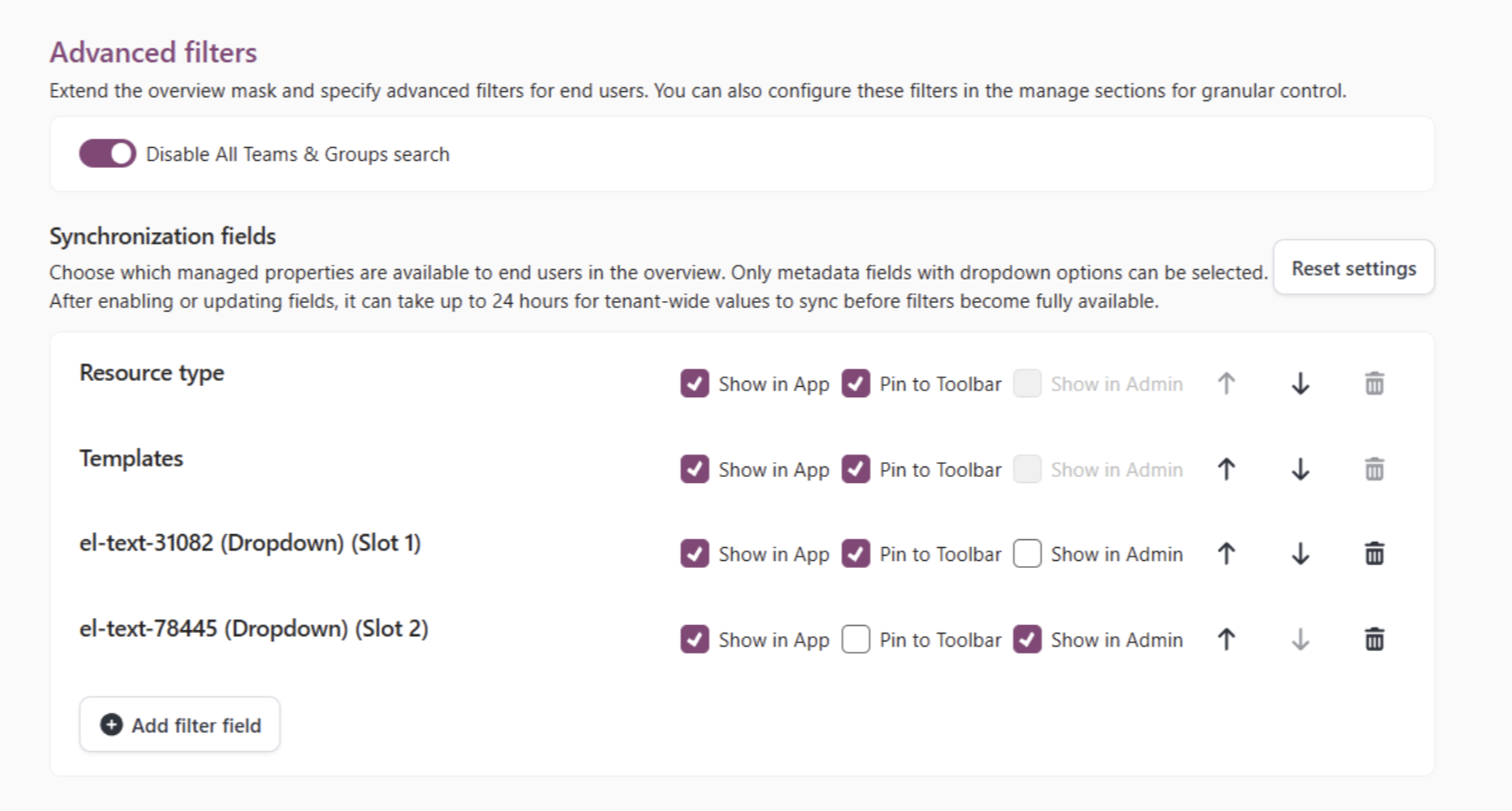
- Advanced Filters let you choose which organizational properties appear as filter options in overview pages
- Control whether non-owners can discover available resources
How these updates will affect you
- Admins can route user inquiries to the right teams by configuring custom reply-to addresses
- Guest onboarding improves when replies go directly to the inviter or a support mailbox
- Users find resources faster with centralized search and smart filtering