Hyperion
- Available on Insiders
Admins get one place to see every credential that needs action, and application owners are easier to manage. This release of EasyLife 365 Identity adds a global task overview to EasyLife 365 Admin and owner management in the application details panel.
What's new?
Global task overview in Cockpit
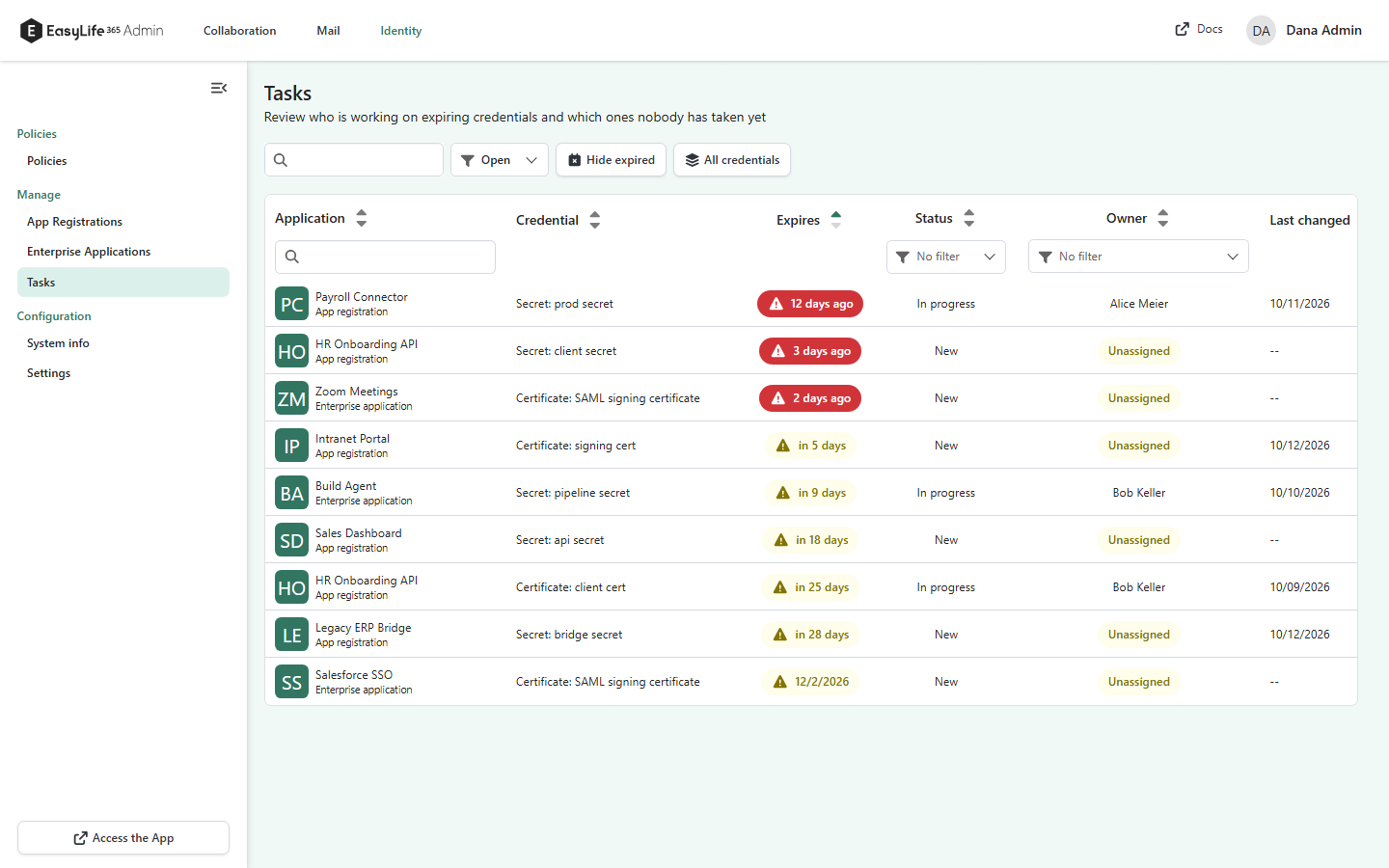
- A new Tasks page under
Managelists the credentials that need action, soonest expiry first. It shows open tasks and every expired or expiring credential that nobody has taken yet. Those credentials appear as New and Unassigned. - Switch between Open and Closed tasks, filter by status or owner, search by application or credential name, and hide expired credentials. All credentials also lists credentials that do not expire soon, so you can assign an owner early.
- Select a row to open the task panel. It shows the expiry, who last changed the task, and the owner and status history. Administrators who can manage applications can assign an owner, change the status and add a comment.
Manage owners in the application details panel
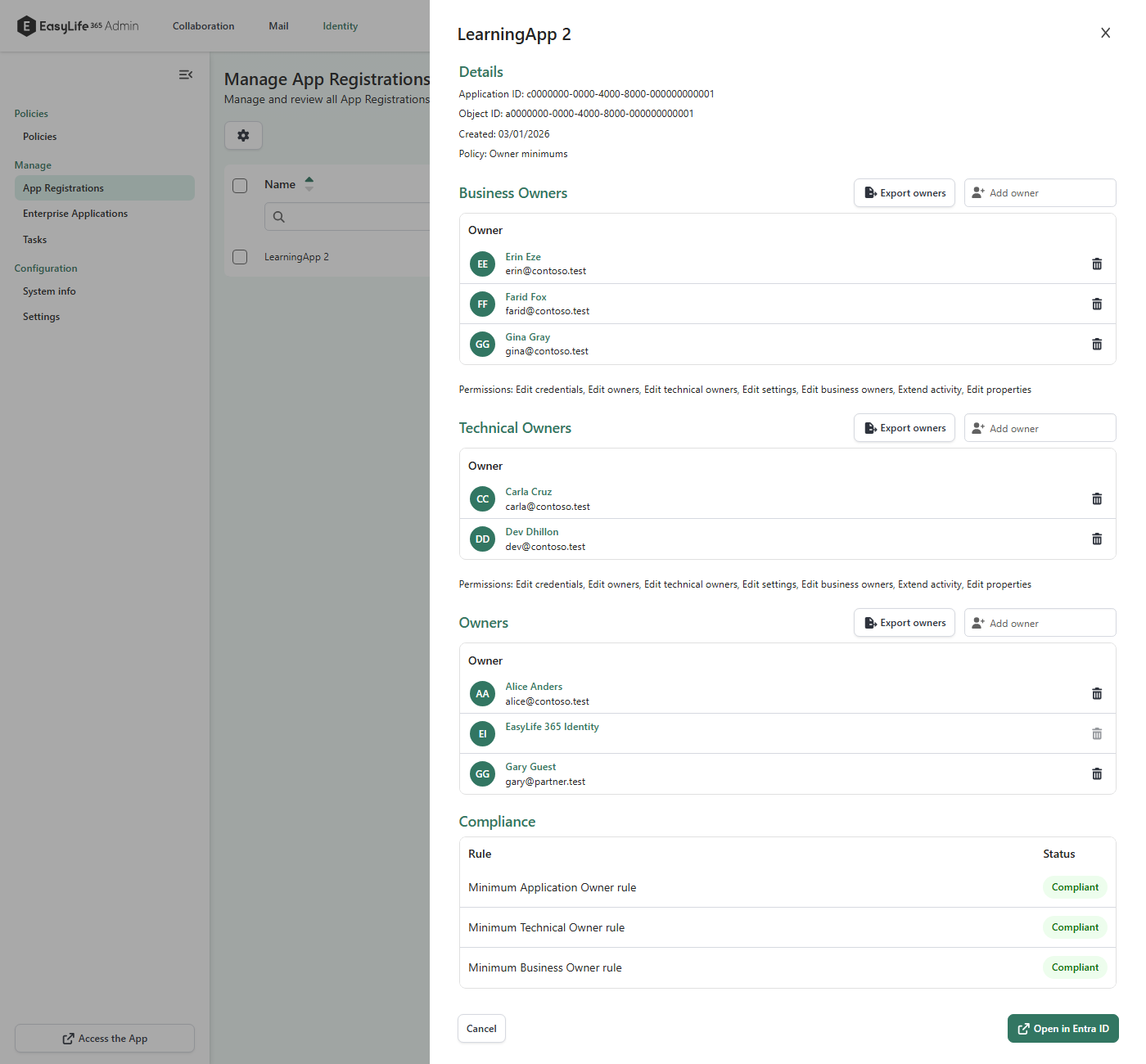
- The Cockpit details panel of an application now lets admins add and remove owners. Admins see no minimum-owner warnings or locks and can remove every owner.
- Compliance updates right after you save an owner change, so you no longer wait for the next policy check.
- Service principals, members without a mail address and guest owners now count towards a minimum-owner policy. The EasyLife 365 Identity service principal does not count.
How these updates will affect you
- The Tasks page appears in Cockpit without any setup. It reads your applications, so it can take a moment to list every credential in a large tenant.
- Compliance for some applications can change on the next check, because more owner types now count towards minimum-owner policies.