Apollo
- Available on Insiders (06/11/2026)
EasyLife 365 Identity gives you more control over what owners may do with an application and makes the Security Center easier to read. Your automation can now manage owner permissions and policies without a signed-in person, and every policy rule is a clear card.
What’s new?
-
Manage owner permissions with the API
- Read and change what technical owners and business owners of an application may do, from your own script or pipeline. Before, this was only possible by hand.
Read more in Owner Permissions API Integration Guide.
-
Read and assign policies with the API
- Read the name of an application, the policy assigned to it and whether it meets that policy, and assign or clear a policy, as you do in the Admin Portal.
Read more in Get Application Policy State and Change Application Policy.
-
Call the API as an application
- Your scripts can call the owner, owner permission and policy API calls without a signed-in person. You can give each application only the access it needs, and a read-only role cannot write.
- When audit logging is turned on for the tenant, the audit history identifies the calling application.
Read more in Create Application Registration.
-
A clearer Security Center
- Every rule of the policy is a card that shows the rule, where the application stands and, only when something is missing, what to do about it.
- Inactivity shows who last extended the deadline and when. Without sign-in data, the card says the rule is paused instead of leaving you guessing.
- The Baseline Configuration card names the setting that does not match, so you know what to fix.
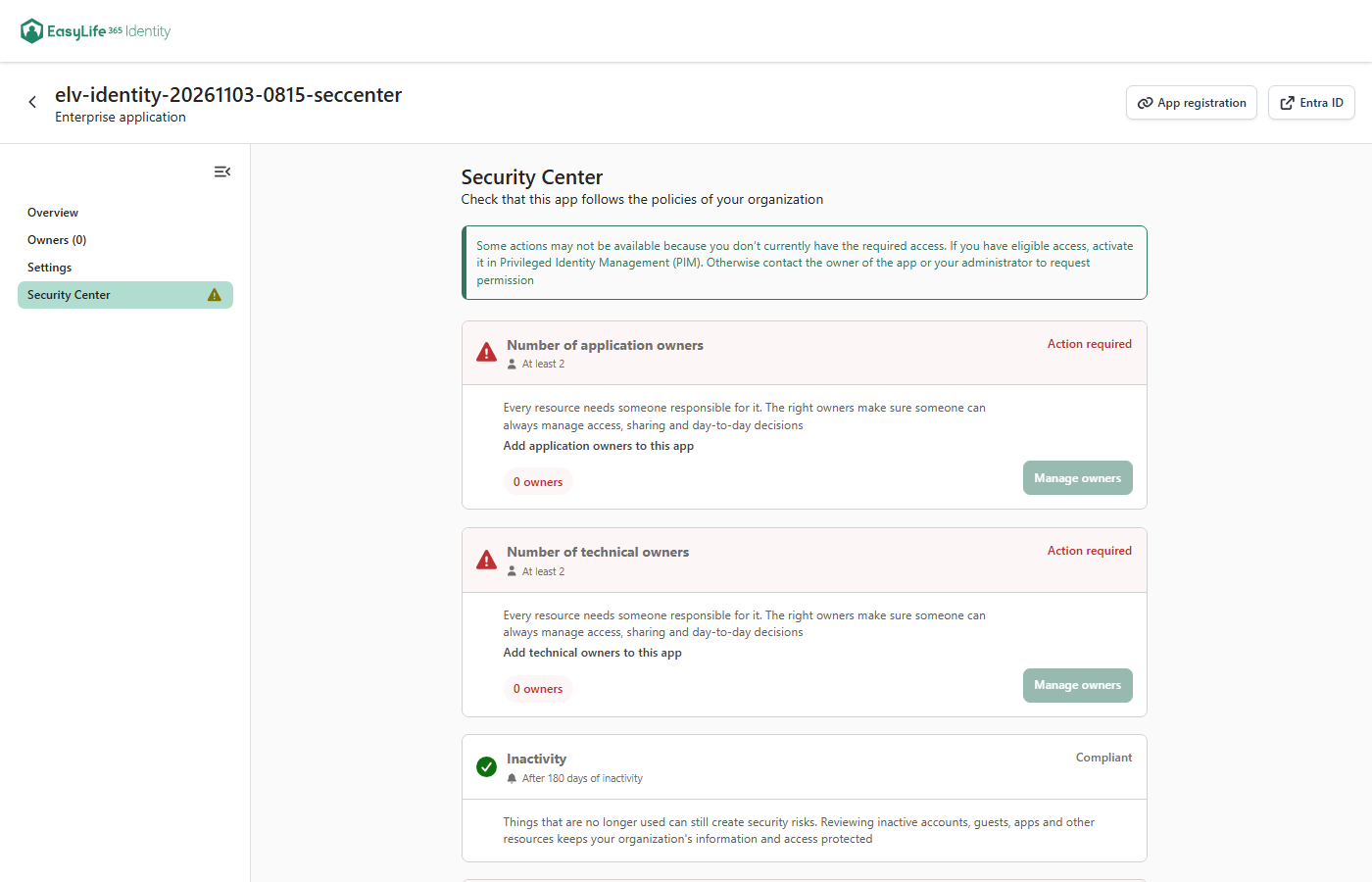
Read more in Security Center.
How these updates will affect you
- Owner permissions, owners and policies can be managed from your own automation. A permission change made by the API shows on the Settings page, and a script that runs again can overwrite a change made there.
- One older application permission,
Identity.Config.ReadWrite.All, is no longer accepted. If an application of yours holds it, grant itIdentity.Ownership.ReadWrite.Allinstead, orIdentity.Manage.ReadWrite.Allwhen it also assigns policies. See Create Application Registration. Identity.Manage.ReadWrite.Allnow also reads and changes owners and owner permissions. Check which of your applications hold it.