Peregrine Falcon
- Available on Insiders (06/11/2026)
EasyLife 365 Mail puts you in finer control of who can do what: owners and members of a distribution list are set independently, mail-enabled security groups are governed, and applications can use the API.
What’s new?
-
Finer control over distribution list permissions
- Every person on a distribution list gets an Owner and a Member checkbox. Tick one, the other, or both.
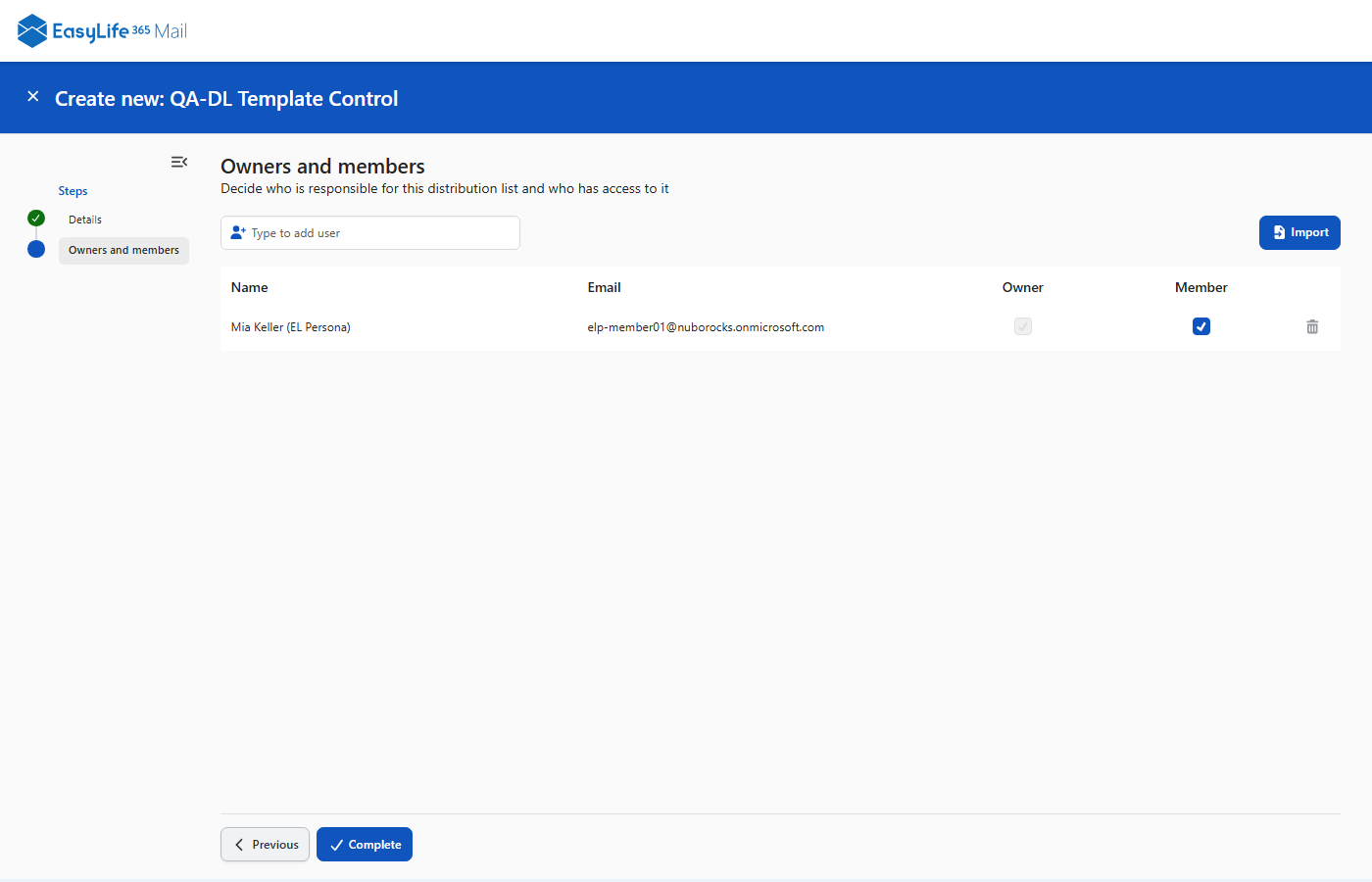
Read more in Distribution Lists.
-
Lifecycle governance for mail-enabled security groups
- Mail-enabled security groups get the same lifecycle governance as your distribution lists: owners, confirmation and access review.
- They have their own templates, policies and management page in EasyLife 365 Admin, and a Security groups page in the EasyLife 365 Mail App.
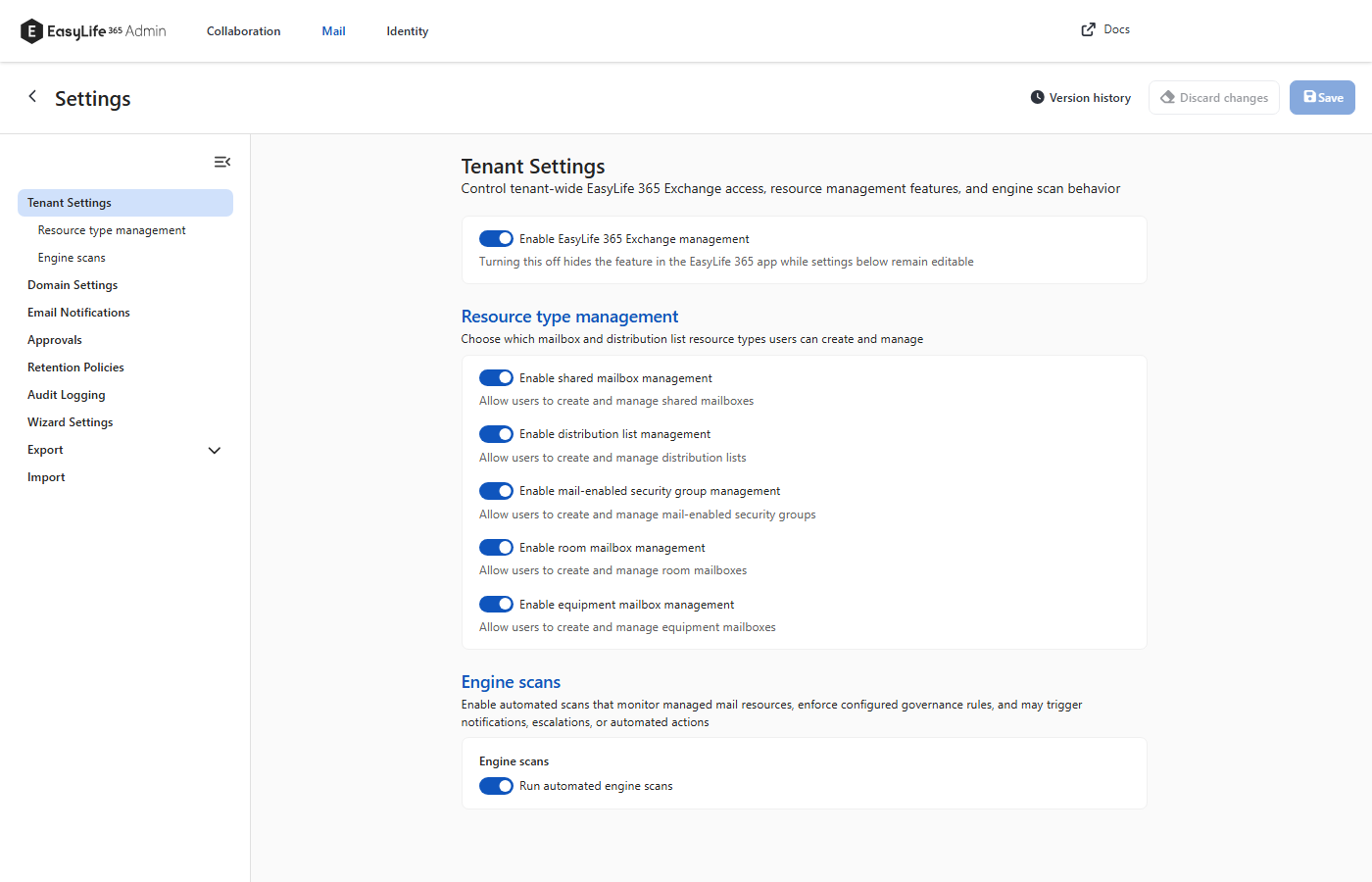
Read more in Mail-enabled security groups.
-
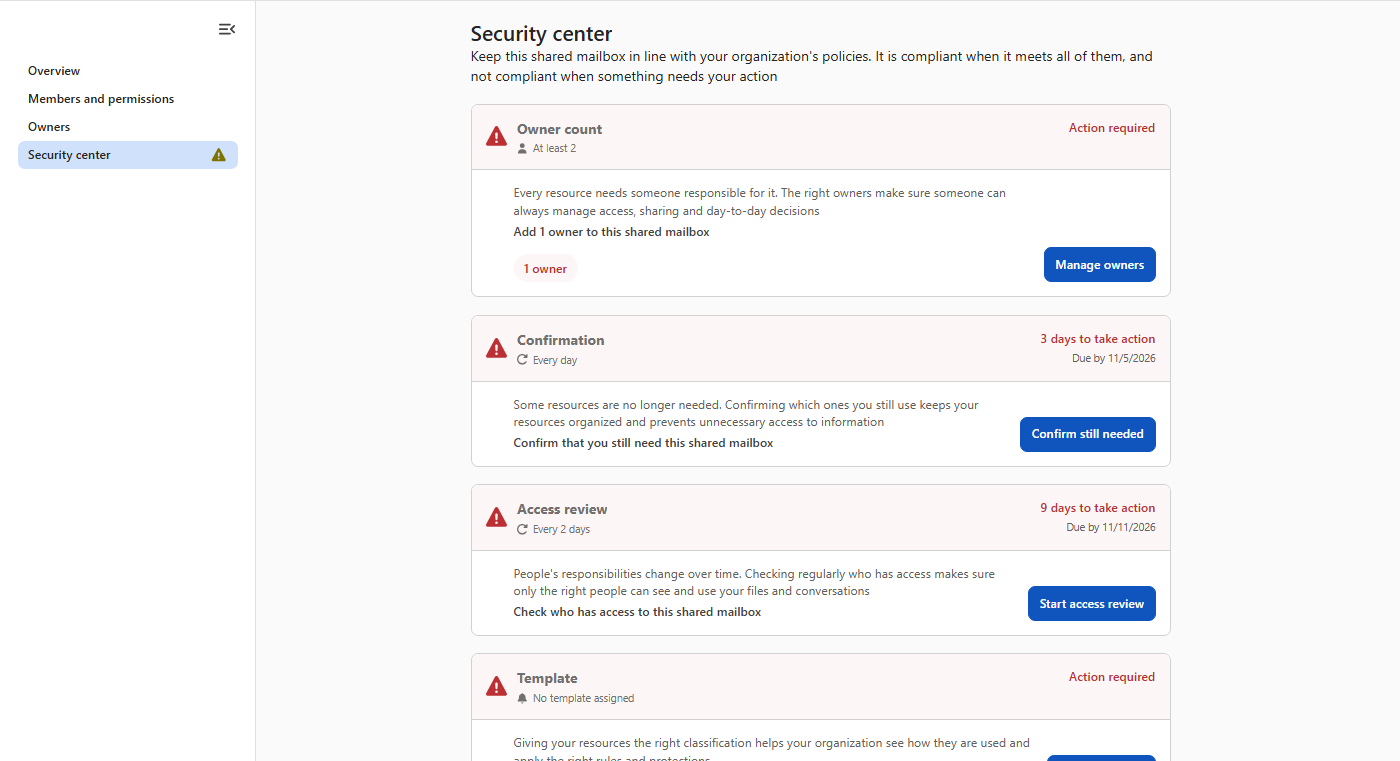
A clearer Security Center
- Every policy of a mailbox, room, equipment mailbox or distribution list now appears as a card in the EasyLife 365 Mail App. Each card shows whether the policy is met, what is required and what to do next.
-
Use the API as an application
- An application can now call the Mail API without a signed-in user: create mailboxes, distribution lists and mail-enabled security groups, manage a template and policy, and read or replace the blocklist.
- You grant each application a role, from read only to create and manage.
Read more in Call the API as an application.
How these updates will affect you
- A distribution list needs a display name. Without one, and without a naming convention that builds it, the API answers
400. - Creating a distribution list no longer makes its owners members. If you create lists through the API, add owners to
membersas well when they should receive the list's mail. - Security group governance stays off until you switch it on, and needs an extra Exchange role.
- Check who holds
Mail.Manage.ReadWrite.All. It now also reads the stored data of your mailboxes and lists and manages their template and policy. A policy change can add or remove owners, and the Full Access and Send As that go with them. It can also replace the blocklist without an audit entry. For the blocklist alone, useMail.Blocklist.ReadWrite.All. - The
Configapplication roles are no longer accepted. Use a blocklist or manage role instead. The otheradmin/mailroutes have no application path. - Give the create roles only to trusted automation. The requestor an application names is not verified, and the approver does not see the application.
- Audit entries changed. With audit logging on, a creation writes one entry, from the engine, and the entry for the request is gone. A policy that an administrator assigns or removes has the category
ADMINinstead ofPOLICY, and removing a template writesREMOVE-TEMPLATE. Update your queries and alerts. See Logging.