Security Center
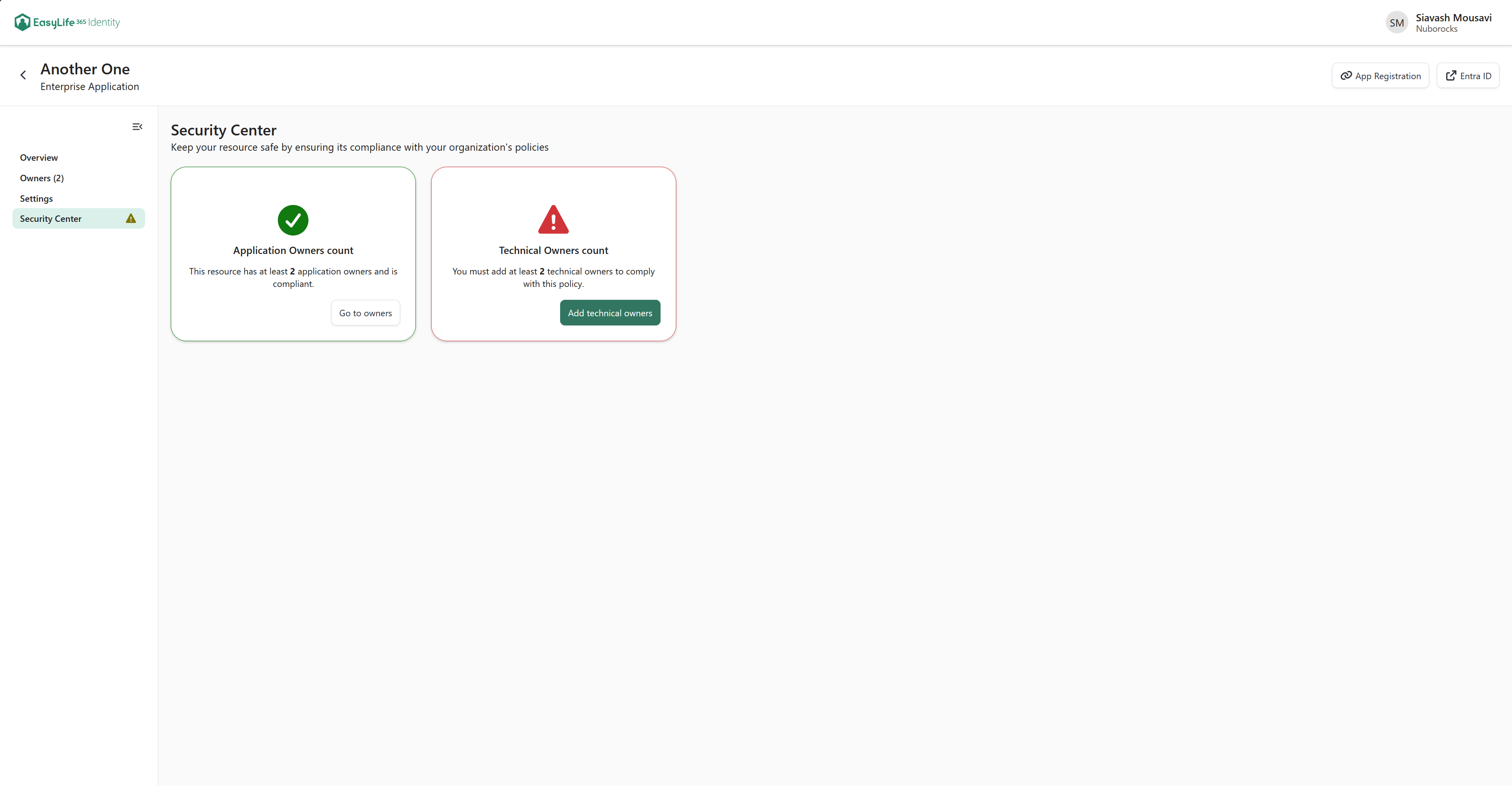
The Security Center is the last entry in the menu of an application. It shows how the application stands against the governance policy assigned to it, and lets you fix what is missing.
The menu entry appears only when the policy assigned to the application defines at least one rule. Its description reads Keep your resource safe by ensuring its compliance with your organization's policies.
What the page shows
Every rule the assigned policy evaluates is drawn as a card. Each card contains:
- The name of the rule
- One sentence describing where the application stands, with the value that matters in bold
- The action that fixes it, when there is something to fix
The cards are laid out on a grid across the full width of the page.
When at least one rule is not met, the menu entry is marked with the warning Policy is not compliant.
If the application has no policy at all, the page shows No rules have been created for this application instead of the cards.
Available rules
Ownership rules
Three separate cards report on ownership: Application Owners count, Business Owners count and Technical Owners count. A card appears only when the assigned policy sets a minimum for that role.
Each card names the minimum the policy requires and takes you to the Owners page. The button reads Add owners while the minimum is not met and Go to owners once it is, naming the role in each case, for example Add technical owners.
Inactivity
ProfessionalThe Inactivity card reports whether the application has been signed in to within the number of days the policy allows.
- While the application is in its grace period, the card says so. Sign-in data is still being collected, and the rule is not applied yet.
- When the rule is not met, the card offers an Extend button, but only if the policy allows manual extensions. The button is disabled when you do not have the permission to extend activity.
Baseline Configuration
ProfessionalThe Baseline Configuration card evaluates whether the application's access settings match the values defined in the policy: Sign-in enabled and Assignment required. It applies to enterprise applications only.
The action depends on how far the configuration has drifted:
- One setting deviates — the card offers the single change that fixes it, for example Enable sign-in or Disable assignment required, applied in place.
- Both settings deviate — the card opens a panel where you review both values before saving them together.
Permissions
Actions on a card are disabled when you do not hold the permission they need. A message at the top of the page tells you when this is the case. Permissions are granted per application on the Settings page.