Archival
The archival rule reviews a SharePoint site that has already been archived. It asks the site owners whether the site is still needed, and escalates when they do not answer. This is the same rule as the group archival rule, applied to sites.
The clock starts when the site is archived, and it resets if the site is reactivated — a review of a live site is moot.
The rule does not decide when a site should be archived. That is the Archive escalation action on the Confirmation and Expiration rules.
Availability
The rule is only offered when the configured SharePoint archive connector actually archives sites. Set Archive connector to Microsoft 365 Archive under Settings → SharePoint sites → Archive settings.
With No connector configured, nothing archives a standalone site, so the rule would have nothing to review. It is hidden from the policy menu, and navigating straight to its URL shows a not-found page.
Configuration
- Open a SharePoint sites policy and select
Archivalin the left menu. - Enable the rule.
- Set Interval (days) — how long a site may remain archived before the rule triggers.
- Set the number of reminders and the interval between them.
- Choose what happens if owners do not react in time.
A newly enabled rule starts with 3 reminders, a 14-day reminder interval, a 90-day interval and no escalation.
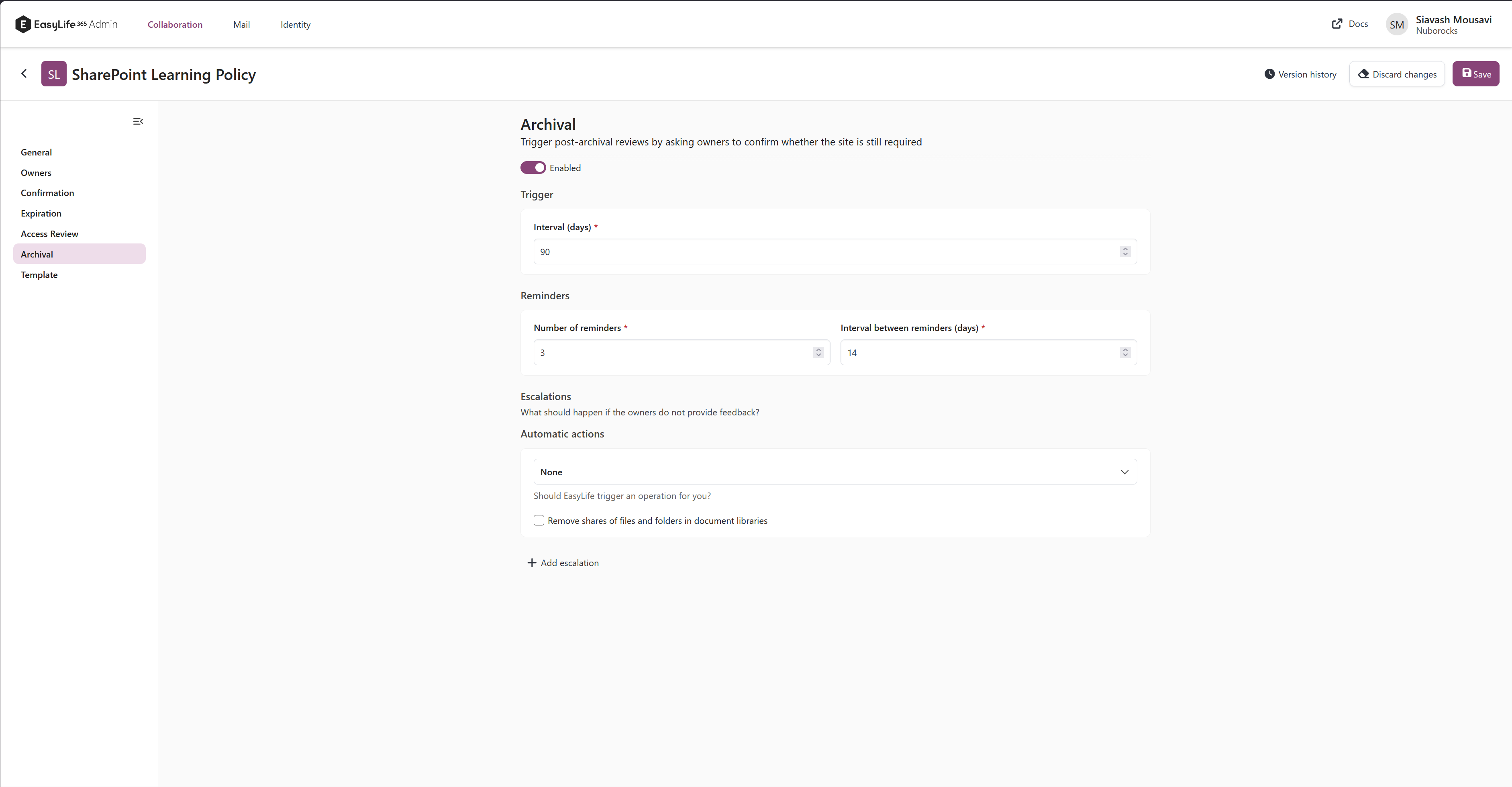
There is no Skip if SharePoint activity is detected option here, unlike the group archival rule. An archived site has no activity to detect.
Behavior
- When the scan first sees an archived site, the rule records the date the site was archived and marks the site compliant. A site archived last month is not given a fresh review period today.
- Once the interval has passed, owners receive reminders at the configured interval.
- After the last reminder, the escalation runs. Options are
DeleteandNone. A webhook can be triggered and a mail can be sent alongside either. - If the site is reactivated at any point, the review ends and the recorded state is reset.
- A site whose archive state the scan could not determine is skipped rather than reviewed. Owners are never asked to review a site that may still be live.
- A site with no owners is skipped until the ownerless rule has been resolved, because there is nobody to warn.
Related pages
- Archival (groups) — the same rule for Microsoft 365 Groups and Teams
- Settings — choosing the archive connector
- Prepare your tenant for Microsoft 365 Archive